Shortkeys lets you customize everything: navigate tabs, run JavaScript, control videos, and more.
Free & open source, forever
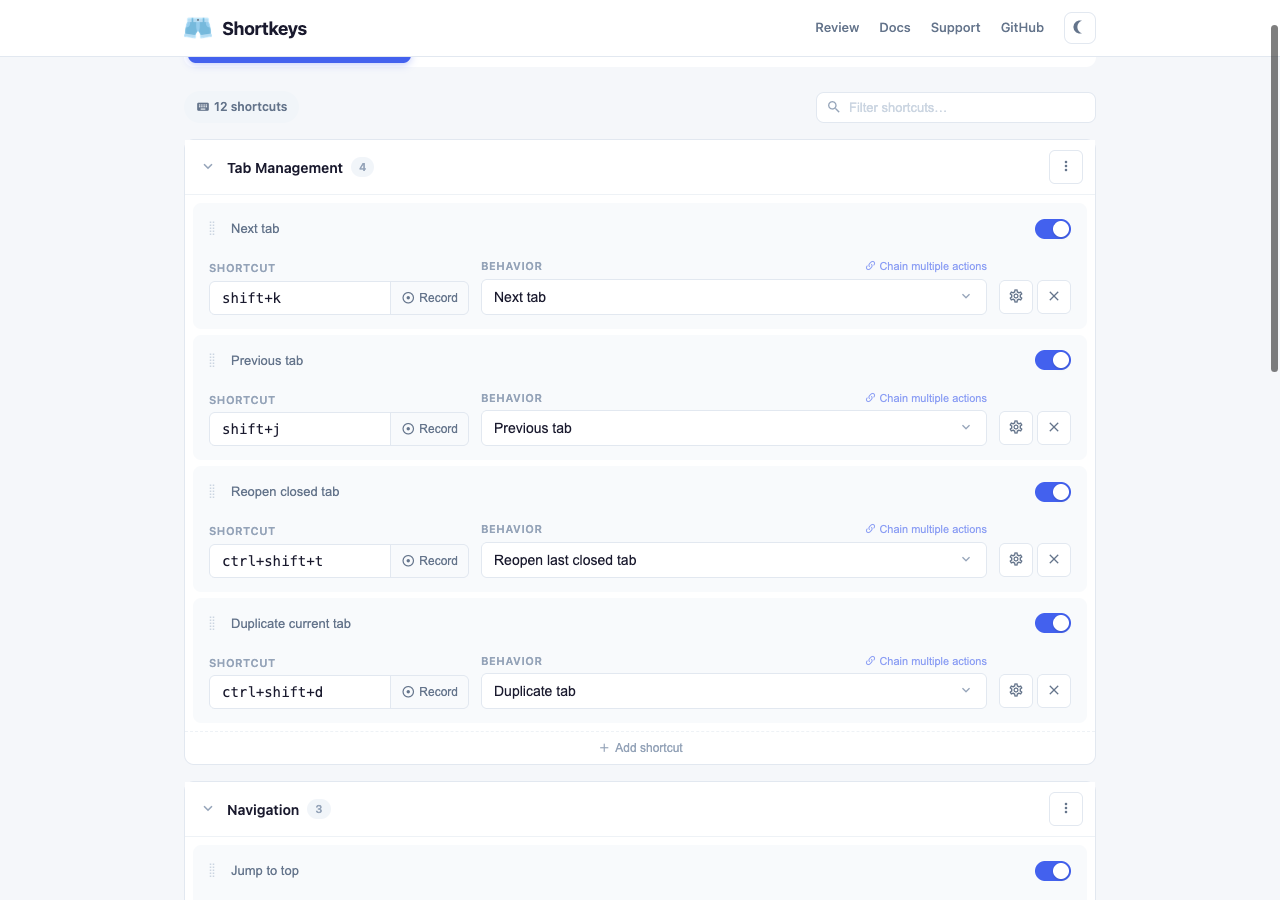
Everything you need to navigate the web at the speed of thought.
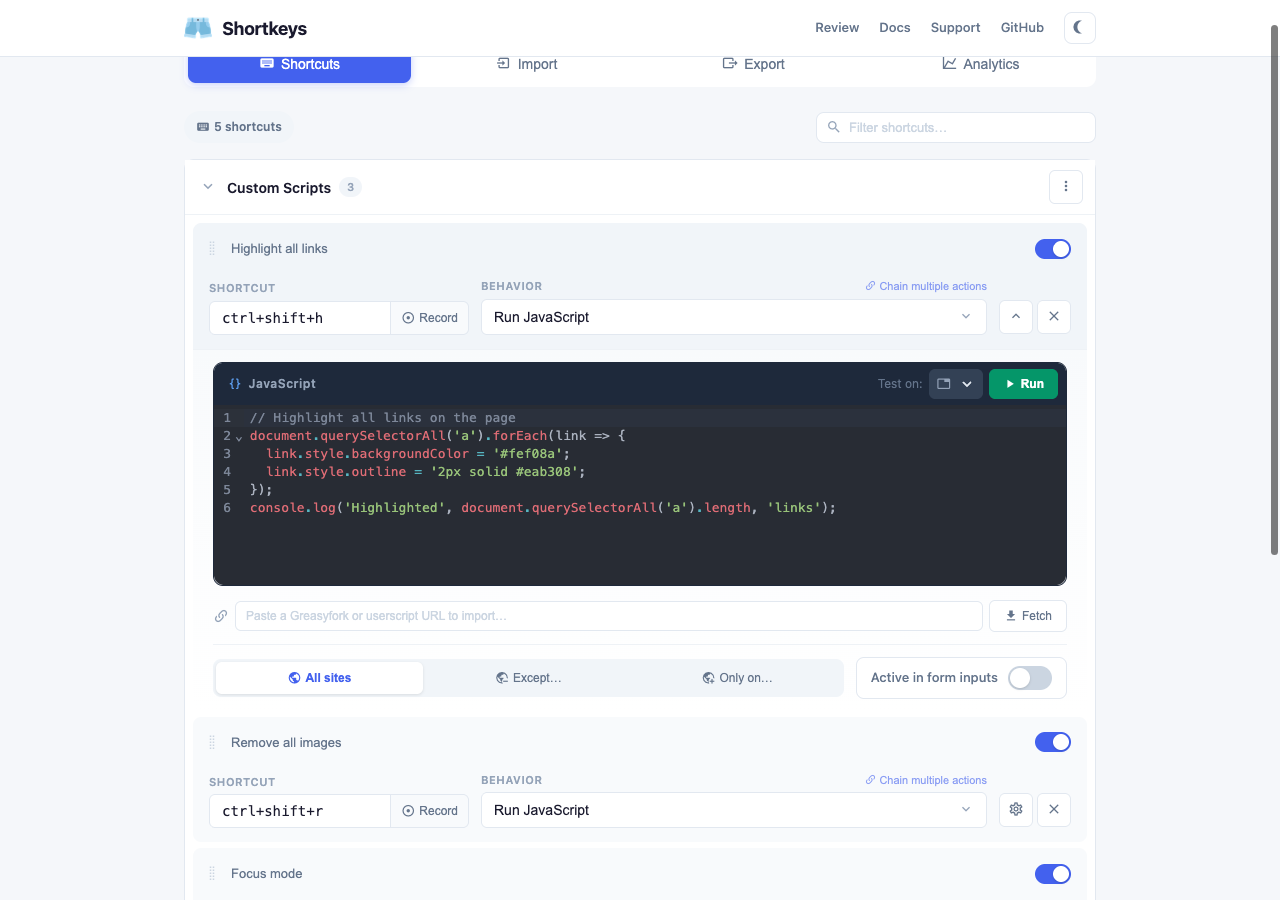
Run any JavaScript with a keyboard shortcut. Full CodeMirror editor with syntax highlighting and One Dark theme.
Tab management, scrolling, navigation, zoom, bookmarks, downloads, video controls, and more.
Browse and install curated shortcut collections like Vim, YouTube, or GitHub with one click.
Organize shortcuts into collapsible groups. Enable, disable, or share entire groups at once.
Just click Record and press your key combo. Supports multi-key sequences like vim's g g.
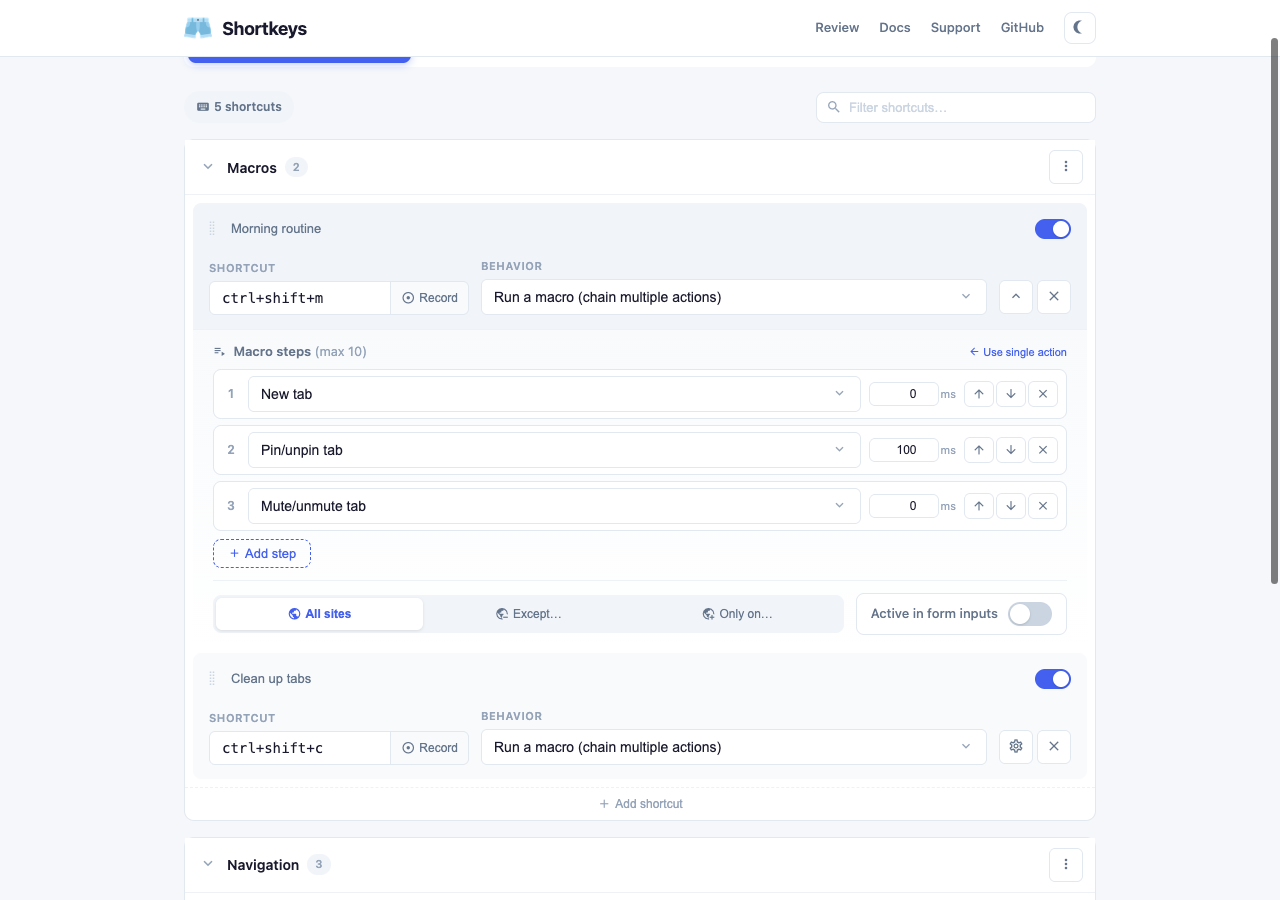
Chain multiple actions into a single shortcut. Add delays between steps for precise automation.
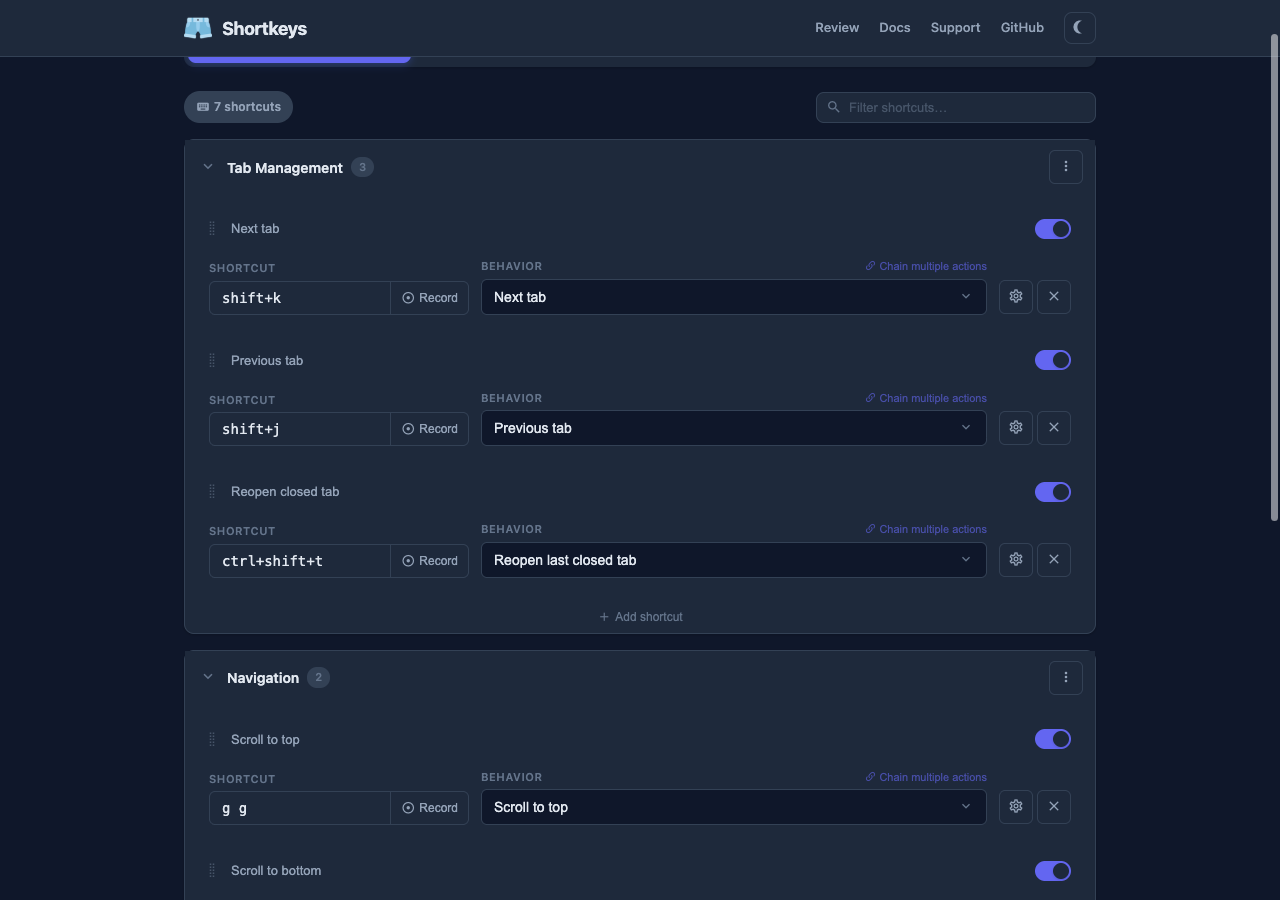
The settings page automatically adapts to your system theme preference. Easy on the eyes, day or night.
Your shortcuts automatically sync across all your Chrome instances via your Google account.
Click the extension icon for an instant searchable palette of all your active shortcuts.
Three steps to keyboard nirvana.
Add Shortkeys to your favorite browser in seconds.
Pick an action or write custom JS, then record your key combo.
Press your keys and watch the magic happen. It's that simple.
Every action you can assign to a keyboard shortcut, organized by category.
One-click install curated shortcut collections. Customize or remove anytime.
 Shortkeys